
BrowserBash
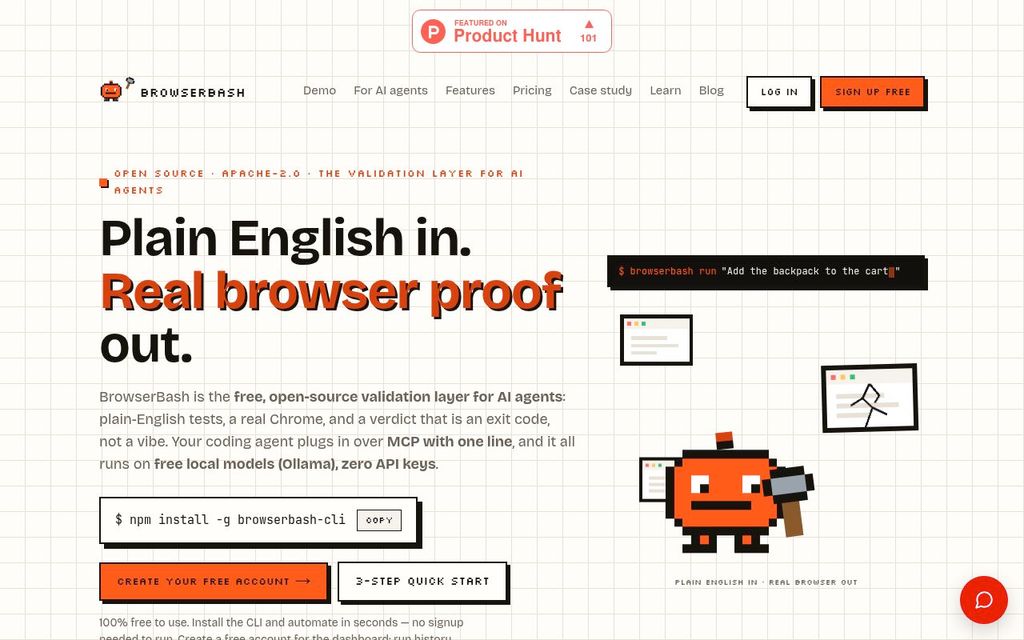
ActiveBrowserBash is an open-source command-line tool that drives a browser from plain-English instructions.
Overview and fit
Audience
Editorial judgment, not a vendor fact.
Compatibility
- Test languages
- Natural language
- Browser engines
- Chromium
- Browsers
- Chrome
- Device modes
- Responsive viewport
What it tests
- Product kind
- Framework, AI testing agent
- Testing types
- End-to-end, Functional, Regression, API
- Targets
- Web app, API
- Use cases
- Pull request validation, Regression testing, Release gating, Production monitoring, Cross browser testing, Test maintenance, Test generation
Classification lists positively established capabilities. Absence from a list does not mean lack of support.
Creation and execution
- Authoring methods
- Natural language, AI-generated workflow, Recorder, Imported tests
- Execution models
- Browser DOM, Browser protocol, Computer vision, OS input, Http client
- Deployment
- Local, SaaS, Self-hosted
- License
- Open source (Apache-2.0)
Capabilities
AI
| Capability | Status | Details |
|---|---|---|
| Uses AI | Supported Supported | Test generation, Execution, Failure analysis AI agent drives the browser based on plain-English objectives. It also helps with failure analysis by providing deterministic assertions and evidence. |
| AI test generation | Supported Supported | AI agent generates browser actions from plain-English objectives. |
| AI executes the app | Supported Supported | AI agent drives the browser to execute the application based on plain-English objectives. |
| AI generates code only | Unsupported Unsupported | |
| Autonomous exploration | Unknown Unknown | No explicit mention of autonomous exploration. |
| Vision-based interaction | Unknown Unknown | While it interacts with the UI, it is not explicitly stated to be vision-based. |
| Selector-free execution | Supported Supported | |
| Adapts to UI changes | Supported Supported | The AI agent resolves targets against the live DOM at runtime, adapting to UI changes. |
| Self-healing | Supported Supported | The AI agent adapts to UI changes at runtime, which can be considered a form of self-healing. |
| AI failure analysis | Supported Supported | Provides deterministic assertions and expected-vs-actual evidence on every failure. |
Developer integrations
| Capability | Status | Details |
|---|---|---|
| MCP server | Supported Supported Official | MCP server built into the CLI, exposing run_objective, run_test_file, and run_suite actions.
|
| VS Code extension | Unknown Unknown | No mention of a VS Code extension on the website. |
| SDK | Unsupported Unsupported | BrowserBash is a CLI tool, not an SDK. |
PR workflow
| Capability | Status | Details |
|---|---|---|
| GitHub | Unknown Unknown | No explicit mention of GitHub integration features beyond being open source and usable in CI. |
| CI execution | Supported Supported | Built for CI/CD pipelines, with structured NDJSON output and standard exit codes. |
| GitHub PR checks | Unknown Unknown | No explicit mention of GitHub PR checks. |
| PR-aware test selection | Unknown Unknown | No explicit mention of PR-aware test selection. |
| Autonomous PR validation | Unknown Unknown | No explicit mention of autonomous PR validation. |
| PR comments | Unknown Unknown | No explicit mention of PR comments. |
| Preview deployment testing | Unknown Unknown | No explicit mention of deployment preview testing. |
| Merge gating | Supported Supported | CI exit codes can be used to gate pipelines on pass/fail signals. |
| Scheduled execution | Supported Supported | Can be used for production monitoring with scheduled execution via `browserbash monitor --every 10m`. |
Creation and execution
| Capability | Status | Details |
|---|---|---|
| Code authoring | Unsupported Unsupported | |
| Recorder | Supported Supported | |
| Natural language authoring | Supported Supported | |
| Test import | Supported Supported | Can import Playwright suites. |
| Reusable steps | Supported Supported | Markdown test files can be composed with @import. |
| Parameterized tests | Supported Supported | Supports variables and secret masking. |
| Test data generation | Unknown Unknown | No explicit mention of test data generation, only seeding data via API steps. |
What it tests
| Capability | Status | Details |
|---|---|---|
| Native desktop testing | Unsupported Unsupported | BrowserBash is for browser automation. |
| Native mobile testing | Unknown Unknown | While it supports responsive viewports, there is no explicit mention of native mobile app testing. |
| Browser extension testing | Unknown Unknown | No explicit mention of browser extension testing. |
| Cross-browser testing | Supported Supported | Plugin Supports various cloud browser providers like Browserbase, LambdaTest, and BrowserStack. |
| Cross-platform testing | Supported Supported | Runs on Windows, macOS, and Linux, and can target different operating systems via cloud providers. |
| Real device testing | Unknown Unknown | While it drives real browsers, it is not explicitly stated to support real mobile devices, only responsive viewports. |
| Multi-tab testing | Unknown Unknown | No explicit mention of multi-tab testing. |
| iframe testing | Unknown Unknown | No explicit mention of iframe testing. |
| Canvas testing | Unknown Unknown | No explicit mention of canvas testing. |
| PDF validation | Unknown Unknown | No explicit mention of PDF validation. |
| File upload testing | Unknown Unknown | No explicit mention of file upload testing. |
| File download testing | Unknown Unknown | No explicit mention of file download testing. |
| OAuth testing | Unknown Unknown | No explicit mention of OAuth testing. |
| Email testing | Unknown Unknown | No explicit mention of email testing. |
| Notification testing | Unknown Unknown | No explicit mention of notification testing. |
| Video content validation | Unknown Unknown | No explicit mention of video content validation. |
Validation
| Capability | Status | Details |
|---|---|---|
| Visual regression | Unknown Unknown | No explicit mention of visual regression testing. |
| Semantic visual assertions | Unknown Unknown | No explicit mention of semantic visual assertions. |
| Accessibility checks | Unknown Unknown | No explicit mention of accessibility checks. |
| API assertions | Supported Supported | Supports API steps for seeding data and verifying responses. |
| Database assertions | Unknown Unknown | No explicit mention of database assertions. |
| Spelling and grammar checks | Unknown Unknown | No explicit mention of spelling or grammar checks. |
| Dark and light mode testing | Unknown Unknown | No explicit mention of dark/light mode testing. |
| Performance measurement | Unknown Unknown | No explicit mention of performance measurement. |
Running
| Capability | Status | Details |
|---|---|---|
| Local execution | Supported Supported | |
| Headless execution | Supported Supported | |
| Headed execution | Supported Supported | |
| Parallel execution | Supported Supported | Can split suites across CI machines with --shard. |
| Test sharding | Supported Supported | |
| Auto-waiting | Unknown Unknown | No explicit mention of auto-waiting. |
| Automatic retries | Unknown Unknown | No explicit mention of automatic retries. |
| Network mocking | Unknown Unknown | No explicit mention of network mocking. |
| Secrets injection | Supported Supported | |
| Private network access | Unknown Unknown | No explicit mention of private network access. |
Diagnosis
| Capability | Status | Details |
|---|---|---|
| Screenshots | Supported Supported | |
| Video recording | Supported Supported | |
| Execution traces | Unknown Unknown | No explicit mention of execution traces. |
| Console logs | Supported Supported | Plugin Available when running on cloud providers like LambdaTest and BrowserStack. |
| Network logs | Supported Supported | Plugin Available when running on cloud providers like LambdaTest and BrowserStack. |
| Replay | Supported Supported | Local and cloud dashboards provide per-run replay with video recordings. |
| Interactive debugging | Unknown Unknown | No explicit mention of interactive debugging. |
| Failure grouping | Unknown Unknown | No explicit mention of failure grouping. |
Enterprise
| Capability | Status | Details |
|---|---|---|
| SSO (SAML) | Unknown Unknown | No explicit mention of SSO/SAML. |
| SSO (OIDC) | Unknown Unknown | No explicit mention of OIDC SSO. |
| SCIM | Unknown Unknown | No explicit mention of SCIM. |
| RBAC | Unknown Unknown | No explicit mention of RBAC. |
| Audit logs | Unknown Unknown | No explicit mention of audit logs. |
| Secrets management | Supported Supported | Supports secret masking for credentials in logs and output. |
| Configurable retention | Supported Supported | SaaS Optional paid data retention for cloud runs beyond 15 days. |
| Private runners | Supported Supported | Runs locally on your machine by default. |
| On-premises deployment | Supported Supported | The CLI and local dashboard run entirely on your machine. |
| Data residency | Unknown Unknown | No explicit mention of data residency options beyond local-first operation and cloud storage in Vercel Blob and Postgres. |
| Training opt-out | Supported Supported | Explicitly states "We do not sell your data and we do not train AI models on your runs." |
Integrations
| Capability | Status | Details |
|---|---|---|
| Browserbase (Test cloud) | Supported Supported | Plugin Can run tests on Browserbase cloud browsers. No source recorded |
| LambdaTest (Test cloud) | Supported Supported | Plugin Can run tests on LambdaTest grid, with automatic session recording. No source recorded |
| BrowserStack (Test cloud) | Supported Supported | Plugin Can run tests on BrowserStack Automate, with video replay. No source recorded |
| Ollama (Llm) | Supported Supported | Plugin Supports free local Ollama models. No source recorded |
| OpenRouter (Llm) | Supported Supported | Plugin Supports free models on OpenRouter, or paid models with your own key. No source recorded |
| Anthropic (Llm) | Supported Supported | Plugin Supports Anthropic models with your own API key. No source recorded |
| Playwright (Test framework) | Supported Supported | Integration Can import Playwright suites and compile deterministic assertions to Playwright checks. No source recorded |
Maintenance, reliability, and debugging
- Setup difficulty
- Low
- Maintenance approaches
- Reusable components, Resilient locators, Self-healing
- Maximum concurrency
- Unknown
- Debug artifacts
- Screenshot, Video, Console log, Network log
- Reliability mechanisms
- Auto wait, Retry, Isolation, Flaky test detection
- Interfaces
- CLI, Web UI, MCP
Pricing
Free
Not yet verified · Official pricing page
Security and deployment
- Certifications
- None recorded
- Data regions
- Unknown
- Data retention
- Unknown
- Customer data used for training
- No
Support
- Channels
- Docs, Email
- Support SLA
- Not offered
Sources and verification
- 1BrowserBash — free, open-source plain-English browser automation CLI · Official website · BrowserBash · retrieved 2026-09-25
Supports 5 claims · Vendor documented, high confidence · verified 2026-09-26
- MCP server
- Summary
- Target OS
- Tool
- Vendor
MCP server built into the CLI, exposing run_objective, run_test_file, and run_suite actions.
heading:Plain English in.Real browser proof out.: Plain English in.Real browser proof out.
section:Free models, zero keys: Drive a real local Chrome, any CDP endpoint, or cloud grids like Browserbase, LambdaTest, and BrowserStack — the same test runs everywhere, from your laptop to a remote browser farm. | section:Parallel, sharded, budgeted: --matrix-viewport runs every test per viewport with labeled results in JUnit and NDJSON.
title: BrowserBash — free, open-source plain-English browser automation CLI
- 2FAQ — BrowserBash · Official website · BrowserBash · retrieved 2026-09-25
Supports 18 claims · verified 2026-09-26
- Adapts to UI changes
- AI generates code only
- Audience
- Browser engines
- Browsers
- Code authoring
- Execution model
- Maintenance approach
- On-premises deployment
- Private runners
- Product status
- Reliability mechanisms
- Self-healing
- Support channels
- Support SLA
- Use cases
- Uses AI
- Vision-based interaction
The AI agent resolves targets against the live DOM at runtime, adapting to UI changes.
section:Built as a validation layer for AI agents: Built as a validation layer for AI agents | section:Do I need to know how to code?: No. BrowserBash is natural-language automation — you describe your objective in plain English and the AI agent performs the browser actions. There’s no code to write and no CSS or XPath selectors to maintain. When you want to save and version flows, you can write simple Markdown _test.md files, but
section:Which browsers and cloud providers does it support?: BrowserBash drives a real local Chrome out of the box, and can connect to any CDP (Chrome DevTools Protocol) endpoint. For cloud and cross-browser grids it also supports Browserbase, LambdaTest, and BrowserStack.
section:Everything you need to test a browser in plain English: BrowserBash turns a plain-English objective into real browser actions through an AI agent — no code, no selectors. | section:MCP server: Verify steps compile to real Playwright checks — URL, title, visible text, element counts, stored values. A pass means the condition held; a fail ships expected-vs-actual evidence. No model judgment. | section:Deterministic assertions: Seed data over plain HTTP, then verify through the UI: POST /api/seed, Expect status 201, store $.id as 'order_id'. Arrange-act-assert in one readable Markdown file, per-step execution on one browser session. | section:How does BrowserBash handle dynamic UIs that change between runs?: It never stores a CSS or XPath selector in your test. You write each step as intent(“click the submit button”), and at run time the agent reads the live DOMand resolves the target against whatever is actually on the page that run. If the
section:Markdown test files: Save your scenarios as readable *_test.md files and compose them with @import, so shared setup and reusable flows stay in one place across your whole suite. | section:How does BrowserBash handle dynamic UIs that change between runs?: It never stores a CSS or XPath selector in your test. You write each step as intent(“click the submit button”), and at run time the agent reads the live DOMand resolves the target against whatever is actually on the page that run. If the
The CLI and local dashboard run entirely on your machine.
Runs locally on your machine by default.
section:Is it production-ready and stable?: BrowserBash is at version v1.3.1and is actively maintained by The Testing Academy.
section:How does BrowserBash handle dynamic UIs that change between runs?: It never stores a CSS or XPath selector in your test. You write each step as intent(“click the submit button”), and at run time the agent reads the live DOMand resolves the target against whatever is actually on the page that run. If the
The AI agent adapts to UI changes at runtime, which can be considered a form of self-healing.
section:How do I get help or report a bug?: Email [email protected] or visit our contact page [l12]. Because BrowserBash is open source, you can also browse the code and follow the project. New here? Start with the Learn [l13] pages for guides on installing, writing test files, and running in CI.
section:How do I get help or report a bug?: How do I get help or report a bug?
section:Everything you need to test a browser in plain English: BrowserBash turns a plain-English objective into real browser actions through an AI agent — no code, no selectors. | section:Monitoring & alerts: browserbash monitor --every 10m --notify <webhook> turns any test into a production check. Alerts fire on pass/fail state changes only — Slack formatting detected automatically. | section:Free models, zero keys: Drive a real local Chrome, any CDP endpoint, or cloud grids like Browserbase, LambdaTest, and BrowserStack — the same test runs everywhere, from your laptop to a remote browser farm. | section:How does BrowserBash handle dynamic UIs that change between runs?: It never stores a CSS or XPath selector in your test. You write each step as intent(“click the submit button”), and at run time the agent reads the live DOMand resolves the target against whatever is actually on the page that run. If the
AI agent drives the browser based on plain-English objectives. It also helps with failure analysis by providing deterministic assertions and evidence.
While it interacts with the UI, it is not explicitly stated to be vision-based.
- 3Features — BrowserBash · Official website · BrowserBash · retrieved 2026-09-25
Supports 81 claims · verified 2026-09-26
- Accessibility checks
- AI executes the app
- AI failure analysis
- AI test generation
- API assertions
- Audience
- Authoring method
- Auto-waiting
- Automatic retries
- Autonomous exploration
- Autonomous PR validation
- Browser extension testing
- Canvas testing
- CI execution
- Cross-browser testing
- Cross-platform testing
- Dark and light mode testing
- Database assertions
- Debug artifacts
- Deployment
- Device modes
- Email testing
- Execution model
- Execution traces
- Failure grouping
- File download testing
- File upload testing
- GitHub
- GitHub PR checks
- iframe testing
- Integrations
- Interactive debugging
- Interfaces
- Languages
- License
- License identifiers
- Local execution
- Maintenance approach
- Max concurrency
- MCP server
- Merge gating
- Multi-tab testing
- Native desktop testing
- Native mobile testing
- Natural language authoring
- Network mocking
- Notification testing
- OAuth testing
- Parallel execution
- Parameterized tests
- PDF validation
- Performance measurement
- PR comments
- PR-aware test selection
- Preview deployment testing
- Private network access
- Product kind
- Real device testing
- Recorder
- Replay
- Reusable steps
- Runner OS
- Scheduled execution
- Screenshots
- SDK
- Secrets injection
- Selector-free execution
- Semantic visual assertions
- Spelling and grammar checks
- Target OS
- Targets
- Test data generation
- Test import
- Test sharding
- Testing types
- Use cases
- Uses AI
- Video content validation
- Video recording
- Visual regression
- VS Code extension
No explicit mention of accessibility checks.
AI agent drives the browser to execute the application based on plain-English objectives.
Provides deterministic assertions and expected-vs-actual evidence on every failure.
AI agent generates browser actions from plain-English objectives.
Supports API steps for seeding data and verifying responses.
section:Built as a validation layer for AI agents: Built as a validation layer for AI agents | section:Do I need to know how to code?: No. BrowserBash is natural-language automation — you describe your objective in plain English and the AI agent performs the browser actions. There’s no code to write and no CSS or XPath selectors to maintain. When you want to save and version flows, you can write simple Markdown _test.md files, but
section:Write tests the way you’d describe them: Describe what you want — “log in and add the first product to the cart” — and the agent figures out the clicks and typing. No CSS selectors, no XPath, no code to maintain. | section:Budgets & cost: browserbash import ./e2e converts specs to plain-English tests deterministically and writes everything it could not translate to an honest import report for your review. | section:Import your Playwright suite: browserbash record <url> opens a real browser; click through the journey and get a committable test file. Password values never leave the page.
No explicit mention of auto-waiting.
No explicit mention of automatic retries.
No explicit mention of autonomous exploration.
No explicit mention of autonomous PR validation.
No explicit mention of browser extension testing.
No explicit mention of canvas testing.
Built for CI/CD pipelines, with structured NDJSON output and standard exit codes.
Supports various cloud browser providers like Browserbase, LambdaTest, and BrowserStack.
Runs on Windows, macOS, and Linux, and can target different operating systems via cloud providers.
No explicit mention of dark/light mode testing.
No explicit mention of database assertions.
section:Agent mode & CI: Add --record to capture video and screenshots of a run, so you can see exactly what the agent did and share a clear repro when something breaks. | section:Run on LambdaTest — every run recorded in the cloud: Point --provider lambdatest at LambdaTest's cloud grid and the browser runs on their infrastructure instead of your machine. Every session is automatically recorded on their side: full video, network log, and browser console, all waiting | section:Run on BrowserStack — video replay on Automate: The same one flag works for BrowserStack: --provider browserstack runs your plain-English objective on BrowserStack Automate. Their dashboard keeps a video recording of the whole session plus the text and network logs, and BrowserBash rep
section:Run it anywhere, for free: Run it anywhere, for free | section:Local dashboard: Run the dashboard command to open a free, fully local web dashboard — browse your runs on your own machine, no account and nothing uploaded. | section:Cloud dashboard: Create a free account to keep run history, video recordings, and per-run replay in the cloud. Link the CLI with browserbash connect and upload a run with --upload.
section:Record a flow once: --shard 2/4 splits a suite deterministically across CI machines; --matrix-viewport runs every test per viewport with labeled results in JUnit and NDJSON.
No explicit mention of email testing.
section:Everything you need to test a browser in plain English: BrowserBash turns a plain-English objective into real browser actions through an AI agent — no code, no selectors. | section:MCP server: Verify steps compile to real Playwright checks — URL, title, visible text, element counts, stored values. A pass means the condition held; a fail ships expected-vs-actual evidence. No model judgment. | section:Deterministic assertions: Seed data over plain HTTP, then verify through the UI: POST /api/seed, Expect status 201, store $.id as 'order_id'. Arrange-act-assert in one readable Markdown file, per-step execution on one browser session. | section:How does BrowserBash handle dynamic UIs that change between runs?: It never stores a CSS or XPath selector in your test. You write each step as intent(“click the submit button”), and at run time the agent reads the live DOMand resolves the target against whatever is actually on the page that run. If the
No explicit mention of execution traces.
No explicit mention of failure grouping.
No explicit mention of file download testing.
No explicit mention of file upload testing.
No explicit mention of GitHub integration features beyond being open source and usable in CI.
No explicit mention of GitHub PR checks.
No explicit mention of iframe testing.
section:Free models, zero keys: Drive a real local Chrome, any CDP endpoint, or cloud grids like Browserbase, LambdaTest, and BrowserStack — the same test runs everywhere, from your laptop to a remote browser farm.
No explicit mention of interactive debugging.
section:Open source & free: BrowserBash is free and open source under Apache-2.0. Install with npm install -g browserbash-cli, read the source, and audit exactly what it does. | section:Session recording: Run the dashboard command to open a free, fully local web dashboard — browse your runs on your own machine, no account and nothing uploaded. | section:Built as a validation layer for AI agents: browserbash mcp plugs into Claude Code, Cursor, Codex or any MCP host with one line and exposes three tools: run an objective, run a test file, run a suite. Your coding agent validates its own work in a real browser.
section:Write tests the way you’d describe them: Describe what you want — “log in and add the first product to the cart” — and the agent figures out the clicks and typing. No CSS selectors, no XPath, no code to maintain.
section:Open source & free: BrowserBash is free and open source under Apache-2.0. Install with npm install -g browserbash-cli, read the source, and audit exactly what it does.
section:Markdown test files: Save your scenarios as readable *_test.md files and compose them with @import, so shared setup and reusable flows stay in one place across your whole suite. | section:How does BrowserBash handle dynamic UIs that change between runs?: It never stores a CSS or XPath selector in your test. You write each step as intent(“click the submit button”), and at run time the agent reads the live DOMand resolves the target against whatever is actually on the page that run. If the
MCP server built into the CLI, exposing run_objective, run_test_file, and run_suite actions.
CI exit codes can be used to gate pipelines on pass/fail signals.
No explicit mention of multi-tab testing.
BrowserBash is for browser automation.
While it supports responsive viewports, there is no explicit mention of native mobile app testing.
No explicit mention of network mocking.
No explicit mention of notification testing.
No explicit mention of OAuth testing.
Can split suites across CI machines with --shard.
Supports variables and secret masking.
No explicit mention of PDF validation.
No explicit mention of performance measurement.
No explicit mention of PR comments.
No explicit mention of PR-aware test selection.
No explicit mention of deployment preview testing.
No explicit mention of private network access.
section:Everything you need to test a browser in plain English: BrowserBash turns a plain-English objective into real browser actions through an AI agent — no code, no selectors. | section:Built as a validation layer for AI agents: Built as a validation layer for AI agents
While it drives real browsers, it is not explicitly stated to support real mobile devices, only responsive viewports.
Local and cloud dashboards provide per-run replay with video recordings.
Markdown test files can be composed with @import.
Can be used for production monitoring with scheduled execution via `browserbash monitor --every 10m`.
BrowserBash is a CLI tool, not an SDK.
No explicit mention of semantic visual assertions.
No explicit mention of spelling or grammar checks.
section:Free models, zero keys: Drive a real local Chrome, any CDP endpoint, or cloud grids like Browserbase, LambdaTest, and BrowserStack — the same test runs everywhere, from your laptop to a remote browser farm. | section:Parallel, sharded, budgeted: --matrix-viewport runs every test per viewport with labeled results in JUnit and NDJSON.
section:Everything you need to test a browser in plain English: Everything you need to test a browser in plain English | section:API steps (testmd v2): Seed data over plain HTTP, then verify through the UI: POST /api/seed, Expect status 201, store $.id as 'order_id'. Arrange-act-assert in one readable Markdown file, per-step execution on one browser session.
No explicit mention of test data generation, only seeding data via API steps.
Can import Playwright suites.
section:Everything you need to test a browser in plain English: BrowserBash turns a plain-English objective into real browser actions through an AI agent — no code, no selectors. | section:Monitoring & alerts: browserbash monitor --every 10m --notify <webhook> turns any test into a production check. Alerts fire on pass/fail state changes only — Slack formatting detected automatically. | section:Free models, zero keys: Drive a real local Chrome, any CDP endpoint, or cloud grids like Browserbase, LambdaTest, and BrowserStack — the same test runs everywhere, from your laptop to a remote browser farm. | section:How does BrowserBash handle dynamic UIs that change between runs?: It never stores a CSS or XPath selector in your test. You write each step as intent(“click the submit button”), and at run time the agent reads the live DOMand resolves the target against whatever is actually on the page that run. If the
AI agent drives the browser based on plain-English objectives. It also helps with failure analysis by providing deterministic assertions and evidence.
No explicit mention of video content validation.
No explicit mention of visual regression testing.
No mention of a VS Code extension on the website.
- 4Pricing — BrowserBash · Official pricing · BrowserBash · retrieved 2026-09-25
Supports 6 claims · Vendor documented · verified 2026-09-26
- Company size
- Configurable retention
- Free tier
- Pricing
- Pricing models
- Trial
section:Supporter: For people and teams who want their cloud history kept past the free 15-day window — and who want to back ongoing open-source development. It adds extended data retention to your account and nothing else changes. Coming soon— for now every account gets the free 15-day retention, and you can start to | section:Can I use it commercially?: Yes. BrowserBash is open source under the Apache-2.0 license, so you’re free to use it at work, in CI, and in commercial projects. See the full feature list [l14] for what ships in the box, and our refund policy [l15] for the optional pai
Optional paid data retention for cloud runs beyond 15 days.
section:Free. Forever.: The BrowserBash CLI, the local dashboard, and a cloud account are all free — no credit card, no API keys, no trial clock. The only thing you can ever optionally pay for is keeping your cloud run history longer than the free 15 days.
section:Free. Forever.: Free. Forever.
section:Free. Forever.: Free. Forever. | section:Supporter: For people and teams who want their cloud history kept past the free 15-day window — and who want to back ongoing open-source development. It adds extended data retention to your account and nothing else changes. Coming soon— for now every account gets the free 15-day retention, and you can start to
- 5Learn BrowserBash — getting started + 14 practice scenarios · Official website · BrowserBash · retrieved 2026-09-25
Supports 6 claims · verified 2026-09-26
- Console logs
- Debug artifacts
- Headed execution
- Headless execution
- Network logs
- Setup difficulty
Available when running on cloud providers like LambdaTest and BrowserStack.
section:Agent mode & CI: Add --record to capture video and screenshots of a run, so you can see exactly what the agent did and share a clear repro when something breaks. | section:Run on LambdaTest — every run recorded in the cloud: Point --provider lambdatest at LambdaTest's cloud grid and the browser runs on their infrastructure instead of your machine. Every session is automatically recorded on their side: full video, network log, and browser console, all waiting | section:Run on BrowserStack — video replay on Automate: The same one flag works for BrowserStack: --provider browserstack runs your plain-English objective on BrowserStack Automate. Their dashboard keeps a video recording of the whole session plus the text and network logs, and BrowserBash rep
section:Install in one line: Install it globally from npm. You need Node 18 or newer and Google Chrome stable on your machine. npm install -g browserbash-cli
- 6Security — BrowserBash · Official security · BrowserBash · retrieved 2026-09-25
Supports 10 claims · verified 2026-09-26
- Audit logs
- Certifications
- Customer data used for training
- Data residency
- RBAC
- SCIM
- Secrets management
- SSO (OIDC)
- SSO (SAML)
- Training opt-out
No explicit mention of audit logs.
title: Security
section:Least privilege & data minimization: We do not sell your data and we do not train AI models on your runs.
No explicit mention of data residency options beyond local-first operation and cloud storage in Vercel Blob and Postgres.
No explicit mention of RBAC.
No explicit mention of SCIM.
Supports secret masking for credentials in logs and output.
No explicit mention of OIDC SSO.
No explicit mention of SSO/SAML.
Explicitly states "We do not sell your data and we do not train AI models on your runs."
Hands-on tested: no (documentation research only) · Content updated 2026-09-26